Why I Built Zouti Photos
In this post
Zouti Photos is a Mac app for getting more out of your Apple Photos library. It’s also the GUI version of osxphotos that people have been asking me for. Here’s how it came about.
20 years of iPhoto and Apple Photos
I’ve been organizing my photos with Apple’s photo app since 2006, when I bought my first Mac (the first Intel iMac). Back then it was iPhoto; Photos replaced it in 2015. iPhoto was the app that brought me to the Mac.
I didn’t even have a digital camera then. I shot 35mm film, and when I got it developed, Kodak Picture CD gave me JPEG scans of every photo on a CD-ROM. I copied the JPEGs to my Windows computer and managed them in folders I curated by hand. Finding and viewing photos was hard! iPhoto changed that and made organizing my photos a joy.
But what about all my metadata?
I spent years organizing my photos into albums, naming faces, and adding keywords. I wanted an archival backup of all that in case I ever left the Apple ecosystem or Photos corrupted my library. I’ve been a computer power user and programmer for over 40 years, and I’ve lived through more than one catastrophic data loss, so I don’t mess around with backups.
When I looked at my options, I realized there was no easy way to export my photos along with their metadata including keywords, albums, and named people. So I wrote a simple Python script to do it. That script grew into osxphotos, an open-source tool for exporting photos and their metadata.
As I dug deeper into the Photos library, I found it holds far more metadata than the Photos app shows you, like AI-generated labels and reverse-geocoded addresses. That was worth preserving too, so I kept teaching osxphotos to read more of it.
More tools, same command line
osxphotos kept growing, mostly in response to user feedback. timewarp batch-adjusts dates and times, and batch-edit edits titles, captions, and other metadata on many photos at once.
Each one solved a real problem osxphotos users ran into, but they all shared one catch: you had to be comfortable with the macOS command line. The request I heard most was for a GUI version of osxphotos that was easier to install and use.
What Zouti Photos is for
After years of putting it off, I finally built that GUI, and it became Zouti Photos. For me, it’s about three things:
- Showing you the data Apple Photos has about your photos, and letting you use it to search and curate your library.
- Making an archival copy of your photos and videos outside Photos, with their metadata written to XMP or JSON sidecars.
- Fixing common problems: wrong dates and times, similar and near-duplicate photos, messy albums, and so on.
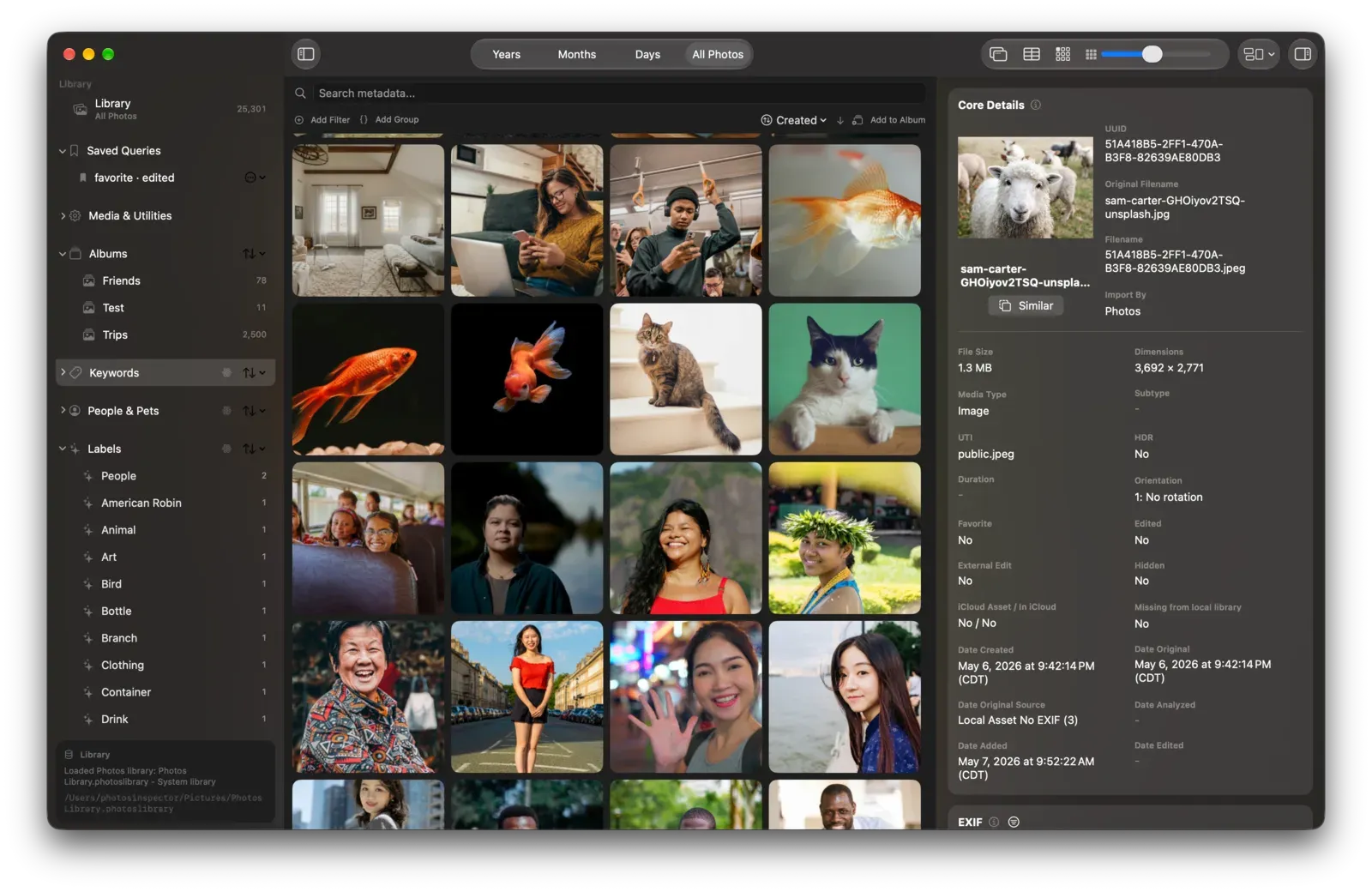
My own Photos workflow now starts in Zouti Photos. I only switch to Photos (with Open in Photos) when I need to edit an image or do one of the few things Zouti Photos can’t.
I want Zouti Photos to stay out of your way. Almost every action has a keyboard shortcut, you can automate it with Shortcuts or AppleScript, and you can even hand tasks to your AI assistant through the optional built-in MCP server.
Why the name “Zouti”?
I grew up in Haiti and speak Haitian Creole (Kreyòl). In Kreyòl, zouti means tool. I’ve been writing software tools since I was 8 years old (my first computer was a TRS-80 Model III), and I still love making computers easier to use. I hope Zouti Photos becomes a tool you reach for often.
You can find out more on the Zouti Photos page.